Free
To try it with one loved one
0
- 2 people in the family
- 2 places
- 2 days of route
- 5 “Where are you?” a day
- SOS, the map and “I'm here!”

A family locator for kids, adults and elderly parents
One look at the map instead of a dozen calls: see who is already home and who is still on the way. And everyone sees exactly what is visible about them.
The map, SOS and “I'm here!” are free for everyone, forever

Who it's for
YouPoint adapts to everyone in the family — from a first-grader to grandma.
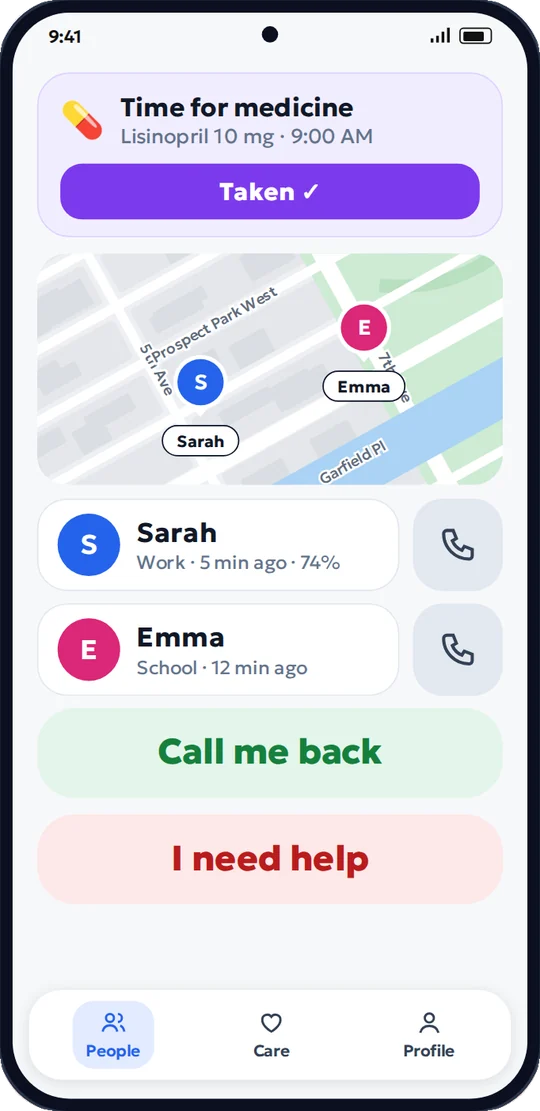
You are far away, but you know your parents are fine — without calling three times a day.

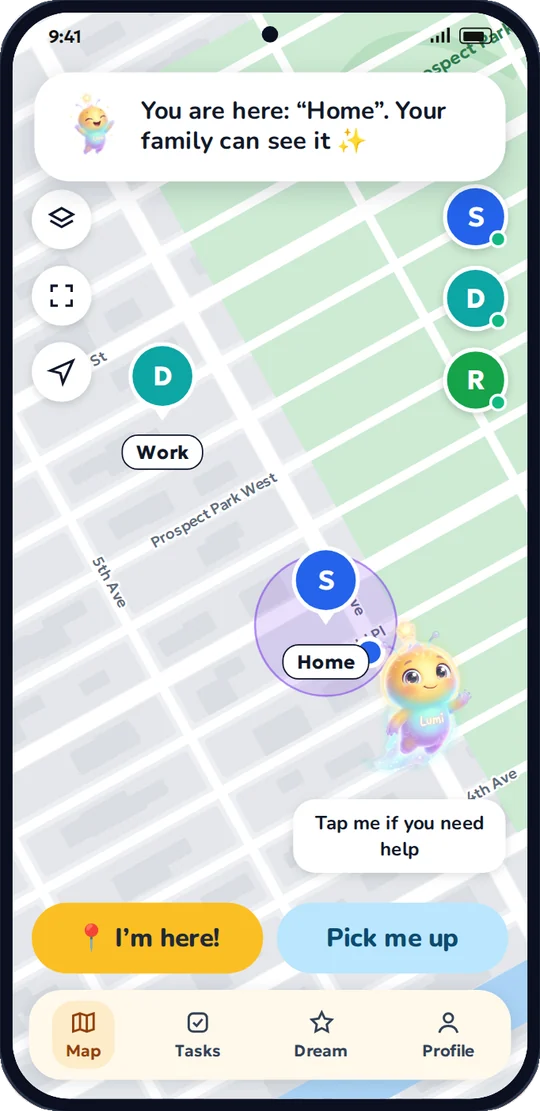
A fairy-tale map with Lumi for your child, and peace of mind for you while they are on the way.

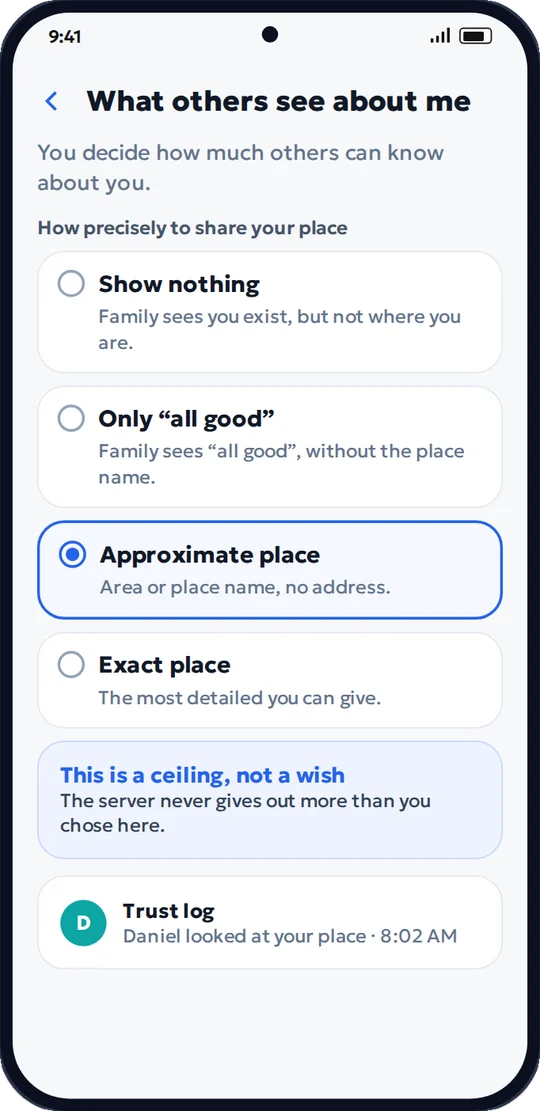
Teens see what is visible about them and can choose to share just “all good”.

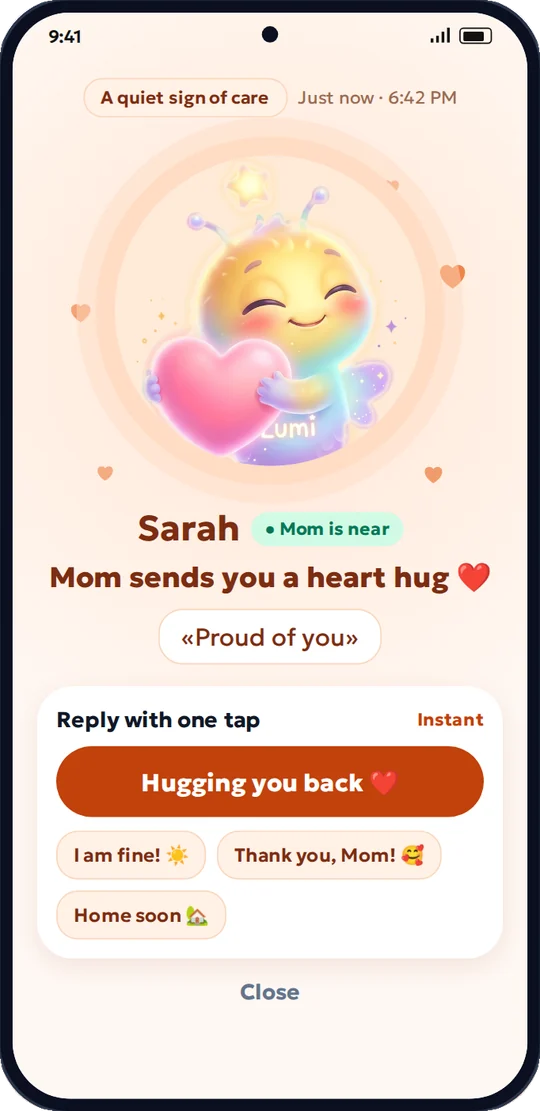
Partner, kids, grandparents — everyone in their own mode, one shared map.

How it works
Free on Google Play. Your family is set up in a minute.
With a link or a QR code. Nobody joins the family without saying “Yes” themselves.
Exact location, area, “all good” or nothing. Change it any time.
Privacy
Everyone in the family chooses how much is visible about them. It's a hard limit, not a wish: the server won't give out more.
Every request and every change is logged — and you can see it all.
Features
A loud alarm and location for the whole family. Free, always.
Ask without calling: the answer comes straight from your loved one's phone.
Home, School, Work: know when someone arrives without extra calls.
Alarm-style reminders, a health diary and a sheet for the doctor.
The phone drops hard and there's no answer for 60 seconds — the family is alerted.
A warning during a suspicious call, and the banking app won't open straight away.
Rings loudly when the phone is in a bag. Each person turns it on themselves.
Kids do chores and save coins for their dream. Only praise, no penalties.
The day's route: “School 8:15–14:30”. Only if the person allows it.
Our promises
Everyone sees what is visible about them and who looked.
We never sell location data. Ever.
Servers in Frankfurt, under GDPR rules.
The map, SOS and “I'm here!” are never behind a paywall.
No cookies, counters or ads — not even here.
Download a copy or delete your account any time — even without the app.
Pricing
Paid plans come with a free week. Cancel any time in Google Play.
To try it with one loved one
0
For families with kids or elderly parents
—
The fullest protection for a big family
—
Google Play shows the final price in your currency.

Free guide
Simple rules worth printing out and keeping by the phone. Large print, plain language. Free, no sign-up.
Download the guide (PDF)Questions
Didn't find your answer?Write to us — we'll reply
No. YouPoint shows a location only when the person has allowed it, and they can always see who looked and when. Teens and adults can lower the accuracy or hide their location.
No. The app doesn't send every step: it updates location sparingly — more often on the move, less often when the person is at home.
YouPoint is available for Android right now. The iPhone version is on its way — leave your email above and we'll let you know.
The map, SOS and “I'm here!” are always free. Paid plans add more people, more places and care for elderly parents. See prices in the “Pricing” section.
On servers in Frankfurt (EU). Exact location points are kept for one day, then only a short summary of the day's route. We don't sell data or show ads.
No. SOS alerts your family, but it doesn't call an ambulance or the police. If you are in danger, call 999 or 112.
In the app: “Profile” → “Account”. Or without the app — use the “Delete account” link at the bottom of this page.
Install YouPoint and invite the person you think about most often.